 Graphite Planner
Dated · October 2026 to December 2027
Graphite Planner 2027
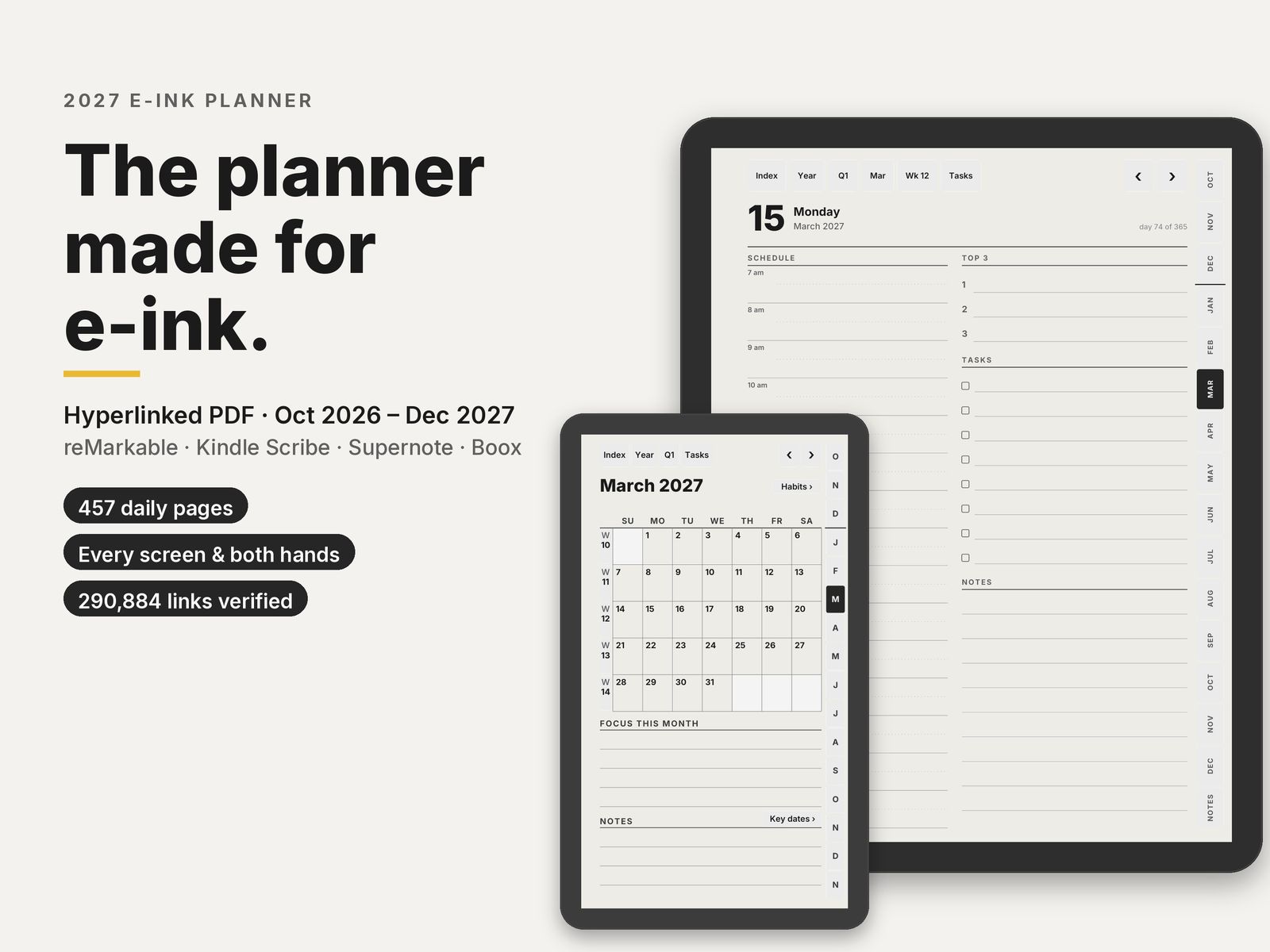
A dated, hyperlinked PDF planner for e-ink tablets: reMarkable, Kindle Scribe, Supernote and Boox. Each screen shape gets its own layout. Write with your pen; reach any page in two taps.
Free October sampleSee it on Etsy
What's inside each file
About 639 to 643 pages per file, depending on the layout:
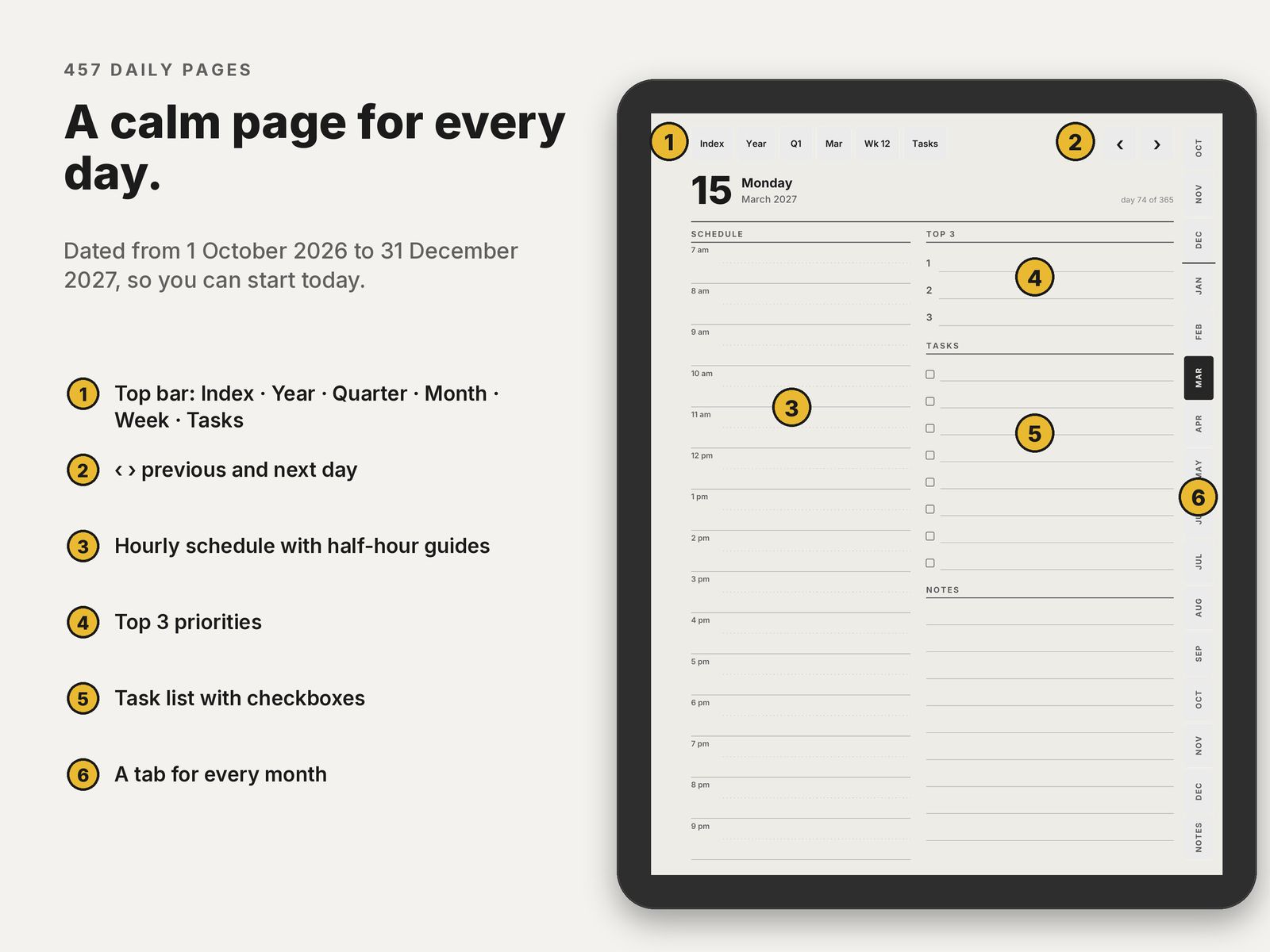
- 457 daily pages, 1 October 2026 to 31 December 2027: hourly schedule, top 3, tasks and notes. Large and Compact have half-hour guides.
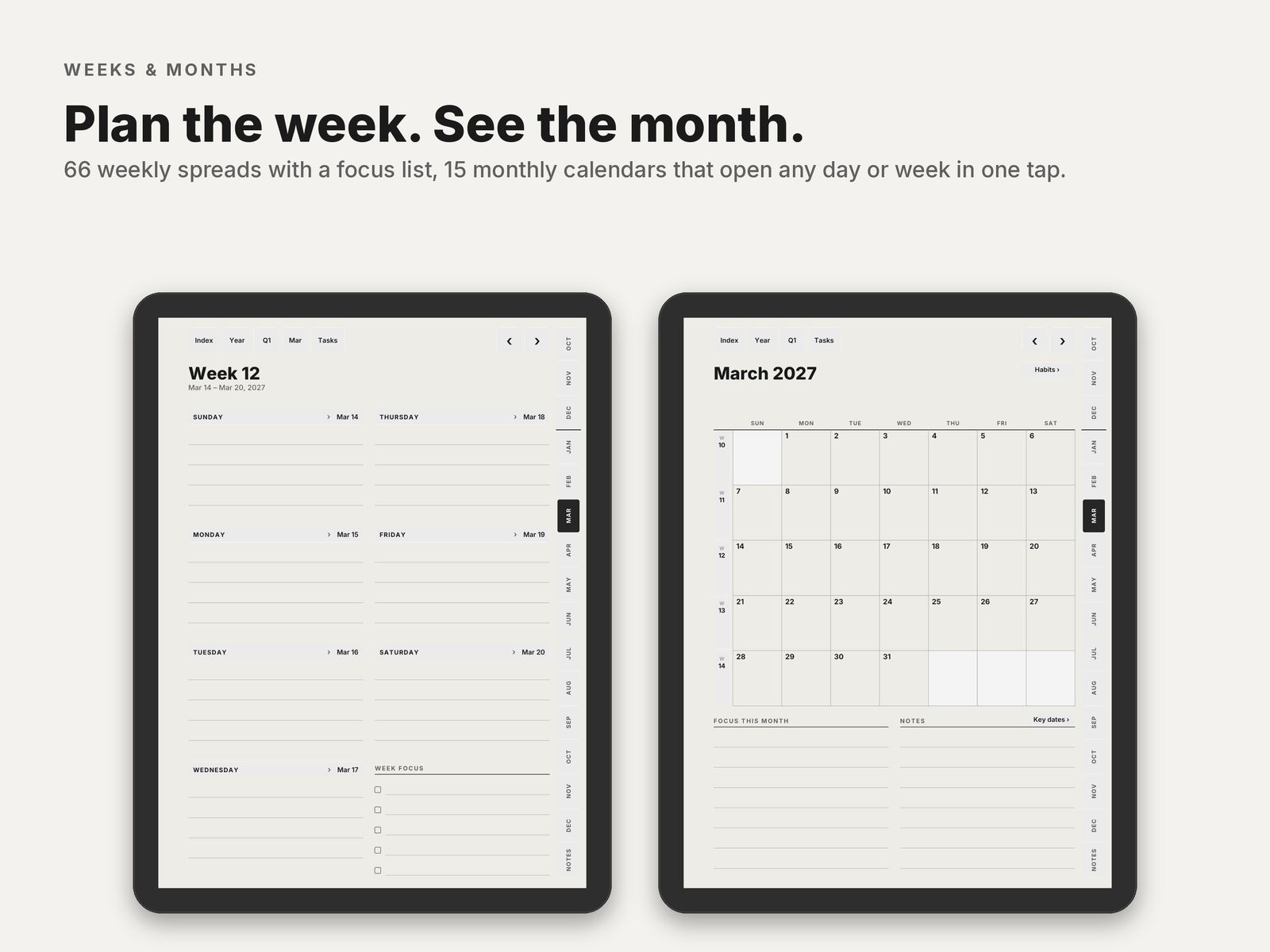
- 66 weekly pages with a focus list.
- 15 monthly calendars and 15 monthly habit trackers.
- 15 monthly task pages, one tap from the top bar of any day, week or month page.
- Year at a glance, goals for 2027, key dates for birthdays and events on 2 pages, January to June and July to December, and 2027 in review.
- 5 quarter plans, Q4 2026 to Q4 2027, with goals and reviews.
- 16 project pages and 40 dot-grid note pages, each set with a linked index.
Getting around
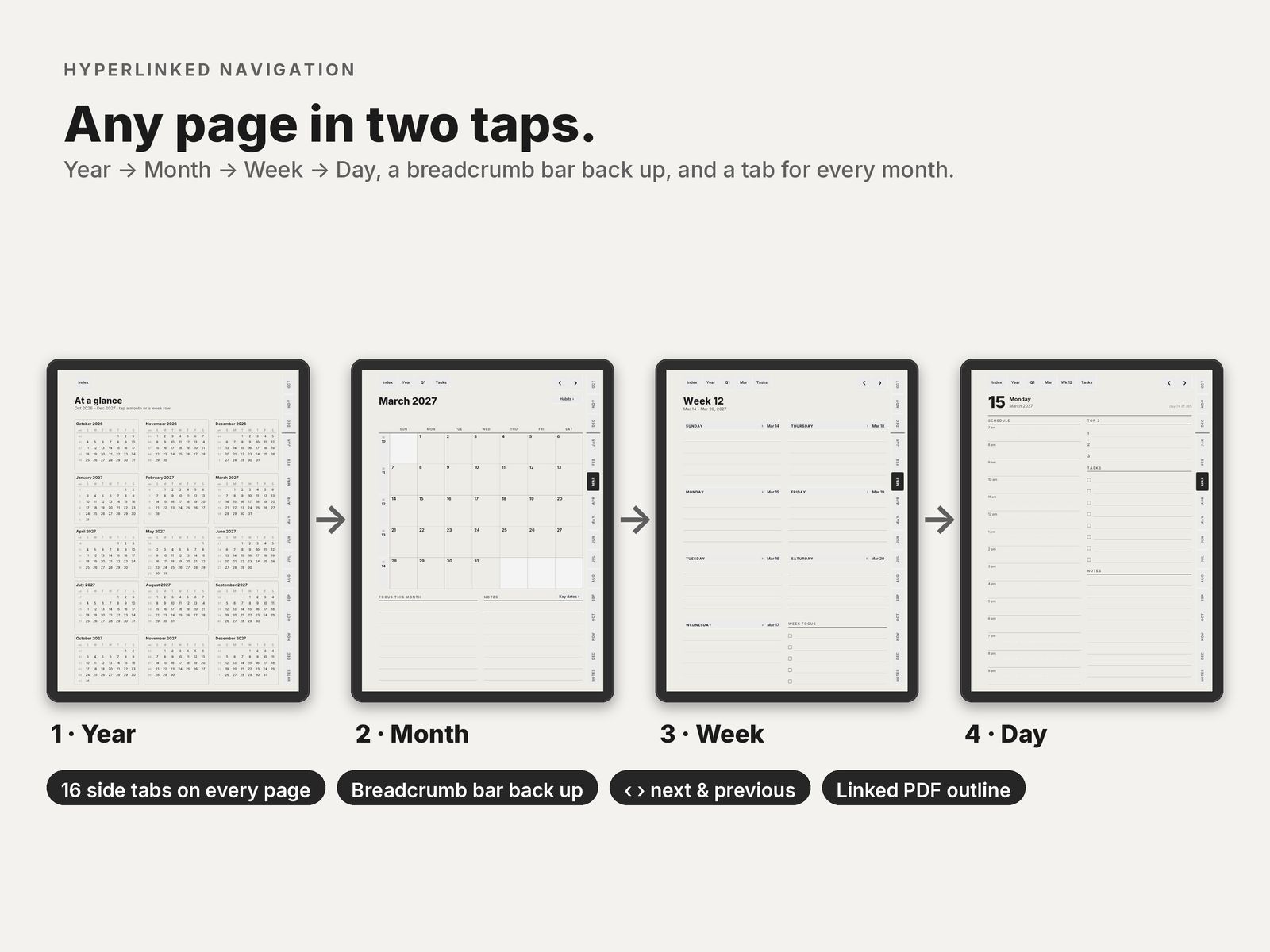
- Year, month, week, day, and back up through the bar at the top of every page.
- A side tab for every month. ‹ and › flip by day, week or month.
- Every page is at most 2 taps from the index.
- Pages run in date order, so swiping forward always moves forward in time.
Which file for your tablet
The all-device download has 18 PDFs: three layouts, three calendar editions, right- and left-handed. You only need one.
| Your tablet | Layout |
|---|---|
| reMarkable 2, Paper Pure, Paper Pro · Kindle Scribe, all generations · Supernote Manta · Boox Note Air, Tab Ultra, Note Max, Tab X | Large 3:4 |
| Supernote Nomad · Boox Nova Air, Tab Mini 7.8" | Compact 3:4, bigger text and wider rows |
| reMarkable Paper Pro Move | Move 9:16, drawn for the 7.3" screen, no text below 8 pt |
| In the file name | Means |
|---|---|
_us_ | Weeks start on Sunday · 12-hour schedule, 9 am · dates like March 15, 2027 · US week numbers |
_intl_ | Weeks start on Monday · 24-hour schedule, 09:00 · dates like 15 March 2027 · ISO week numbers |
_intl12_ | Weeks start on Monday · 12-hour schedule, 9 am · dates like 15 March 2027 · ISO week numbers |
_right | Right-handed: tabs on the right edge, nothing to tap on the left side |
_left | Left-handed: everything mirrored, tabs on the left edge |
These editions are for the planner. Notebook files are named by paper and hand instead, for example dot_right or meeting_left.
Also included: the Move Classic layout, version 1.1, for anyone who prefers the denser original Move pages.
Checked before release
Broken links are the most common complaint about digital planners. Before release, all 290,884 links in the 18 files are opened by three independent PDF readers and checked by script: every link lands on the right page, every day sits under the right weekday, nothing tappable hides under the toolbar, and tap targets are at least 3.5 mm, navigation buttons 6 mm or more. The report is included in the download.
Files are about 1.6 to 2.0 MB each, vector only, with about 25 links per page, so page turns stay fast on e-ink.
Good to know
- You need a tablet or app that opens PDFs and follows PDF links. reMarkable needs software 3.3 or later. It also works in GoodNotes and Notability on iPad.
- Public holidays are not printed, so it works in any country.
- Designed in greyscale for e-ink; it looks the same on colour screens.
- Personal-use licence: use it on all your own devices and print pages for yourself; please don't share or resell.
Where to buy
The all-device edition has every layout. If you only own one tablet, there are smaller editions for it.
- All devices, 18 files: reMarkable, Kindle Scribe, Supernote and Boox.
- reMarkable Paper Pro Move edition: the 6 Move PDFs plus the Classic layout.
- Supernote edition: one zip for the Manta, one for the Nomad.
- Kindle Scribe edition: 6 PDFs with every link at least 10 mm from the top and side edges of the page.
Setup help for each tablet: reMarkable · Supernote · Boox · Kindle Scribe.
Free samples
Planner, October 2026. All of October: the month, its habit tracker, every week and every day, with every link working. Files for the Large, Compact and Move layouts.
Download the October planner sample
Notebook, 3 pages. The cover, the index of section 1 and page 1, in dot grid, right-handed. Files for the Large, Compact and Move layouts. Buttons that lead outside these 3 pages are printed but do nothing.
Both links open a Google Drive folder. No email or account needed.